|
1
|
|
|
2
|
|
|
3
|
- Retired from public education
- An active model railroader for less than four years
- Electronics, ham radio, woodworking, computers & programming have
been hobbies for decades
- Model railroading is a nice way to utilize those other interests in one
hobby
- Primarily interested in using my electronics skills to enhance what can
be done with a model railroad & teaching others to do the same!
|
|
4
|
- Provide an overview of “hobbyist” microcontrollers
- Show how microcontrollers are programmed and connected to interact with
railroad equipment
- Demonstrate various devices & projects that utilize microcontroller
operation
- (Hopefully) Excite you with the possibilities and enable you to begin
experimenting!
|
|
5
|
- We all have an interest in how things work and many of us have enough
knowledge of basic electronics to know that something can be done…
- we just need a bit of
help putting all of the parts together to make it happen!
|
|
6
|
- We Know About:
- Batteries & power supplies
- Track wiring & motors
- DC & polarity
- Voltage & amperage & resistance
- LEDs (what an improvement we have seen in the last 5 years!!)
- Series / parallel circuits
- Switches – SPST (on/off), SPDT, DPDT, transistors
- Programming
|
|
7
|
- Inexpensive
microcontrollers allow us to optimize the basic electronics and
programming knowledge that we have so that we can do some amazing
- (and personally
satisfying)
- things!
|
|
8
|
- They have been around for about 15 years
- Usually dedicated to a single purpose
- Small
- Inexpensive (lately!)
- Programmed in BASIC
- Programming requires nothing more than a computer with a serial or USB
port
|
|
9
|
- Designed in the UK for use in schools
- SUPERB support
- Free manuals, tutorials and software
- Active & helpful forums on their web page & elsewhere on the web
- Book: “Programming
& Customizing the PICAXE Microcontroller”
- PICAXE manuals, especially “section 3- Interfacing Circuits”
are super in helping to put it all together on your railroad
|
|
10
|
- Best choice in terms of:
- Capability
- Ease of use
- Cost
- Support
- dave@davebodnar.com
- info@trainelectronics.com
|
|
11
|
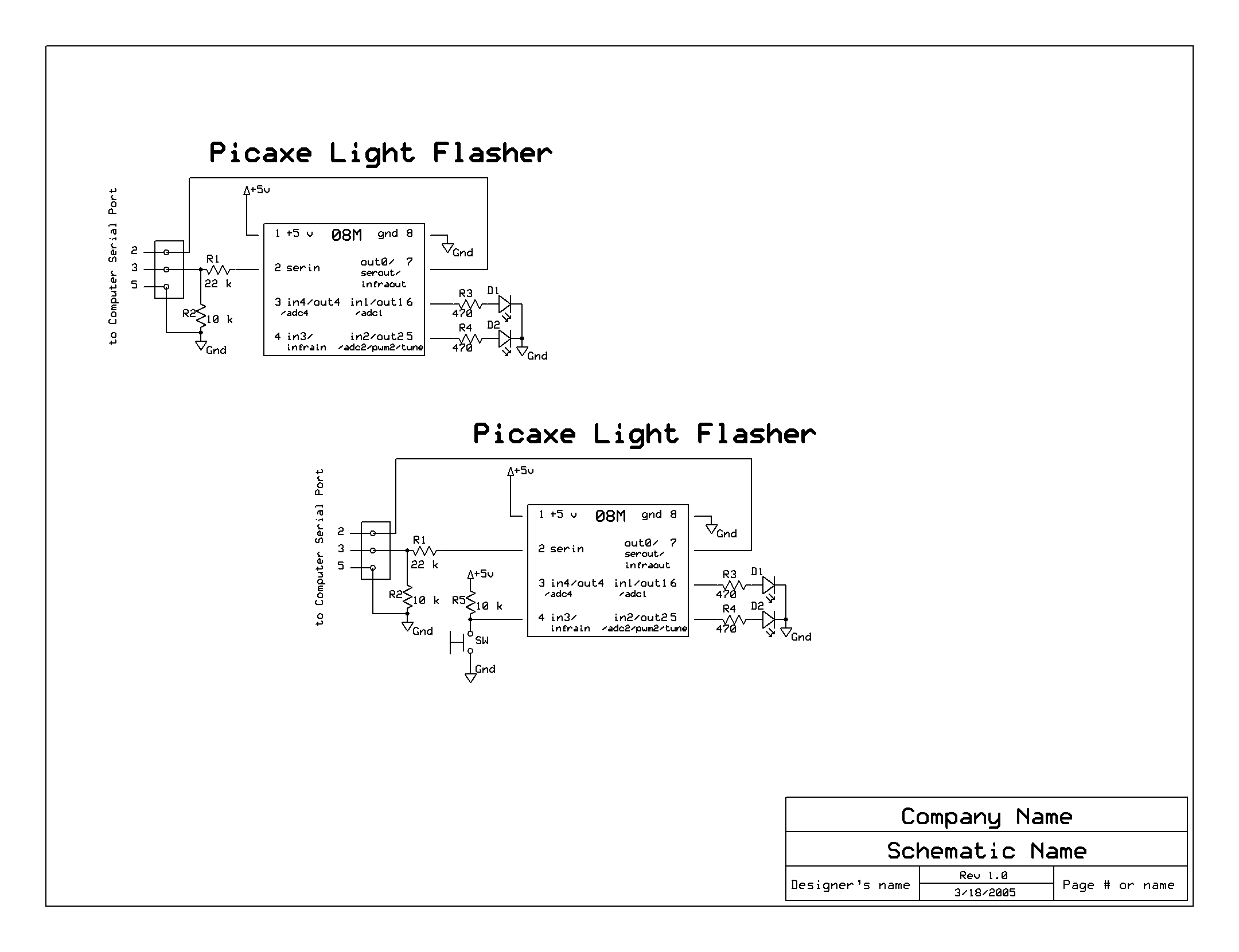
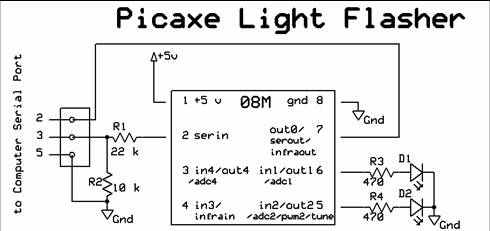
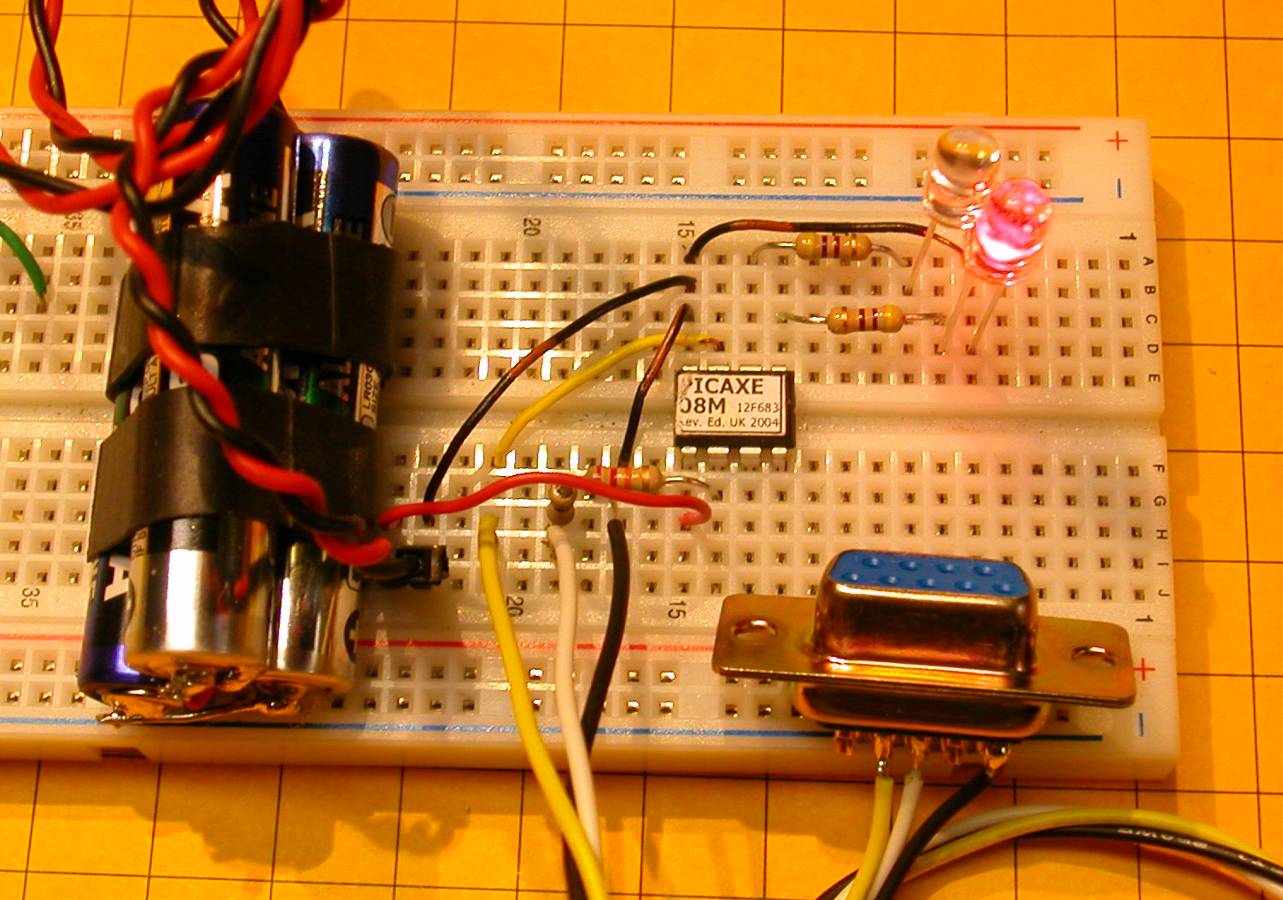
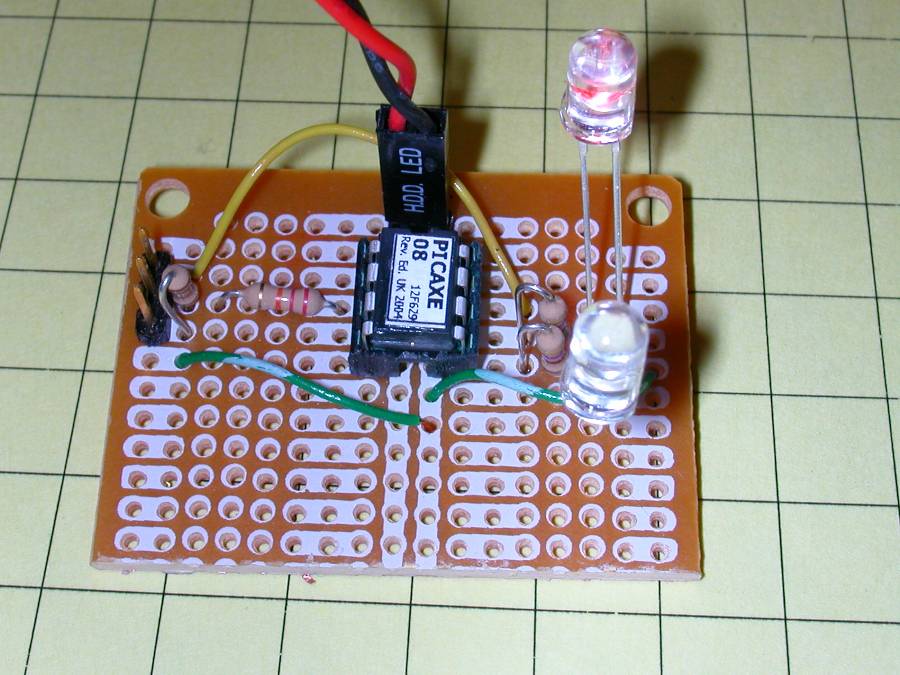
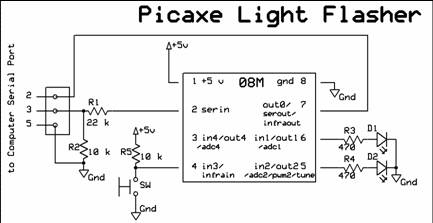
- Design objectives:
- Alternately flash two red LEDs
- Operate from battery power
- Alter timing and other characteristics from software
|
|
12
|
- Then we will modify the circuit to:
- Start from a button push
- Do other “flashing” things by making minor changes in
hardware & software
|
|
13
|
|
|
14
|
- Other items needed:
- Software from www.PICAXE.com
- Any Windows PC with serial port (or USB to serial adapter)
- programming cable
- Needs only 3 wires - can use an old mouse cable
- Soldering iron & wire cutters, etc.
- A Solderless Development Package is available from www.phanderson.com
for < $20.00
- 2 to 5.5 volt power supply (3 @ AA cells)
|
|
15
|
|
|
16
|
|
|
17
|
|
|
18
|
- Program 1:
- Note: the program remains in the chip’s memory until it is
manually erased or overwritten.
|
|
19
|
- Program 2:
- Note: “start” is just a label telling the
“goto” where to go.
|
|
20
|
- Program 3: modified to flash 10 seconds and turn off for 10 seconds
|
|
21
|
- Hardware modification for button or reed switch activation:
|
|
22
|
- Program 4: modified to flash 5 seconds on each button push
|
|
23
|
|
|
24
|
- Design objectives
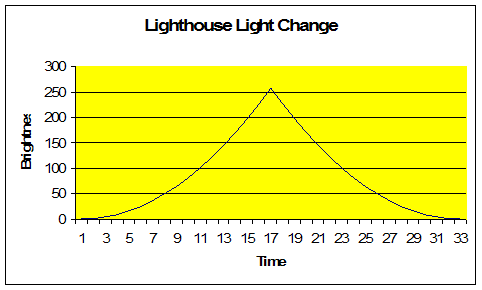
- Gradually brighten a bulb or LED to near full brightness
- Momentarily flash to full brightness
- Gradually dim till off
- Delay for a set time
- Repeat
- Able to use LEDs or incandescent bulbs
|
|
25
|
|
|
26
|
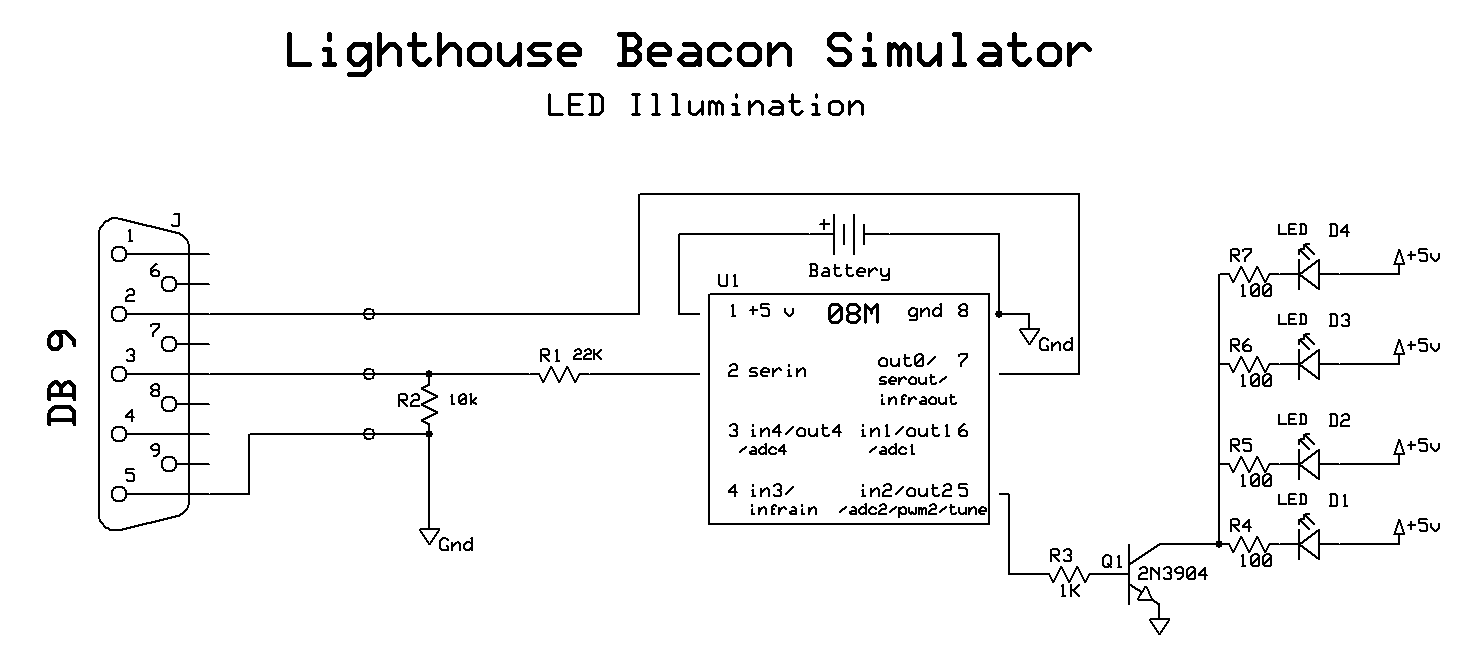
- Parts
- Adds one resistor and one transistor to the flasher circuit so that the
PICAXE can control a high current bulb
- The most significant changes are to the software
|
|
27
|
|
|
28
|
|
|
29
|
|
|
30
|
|
|
31
|
- Transistor makes it possible to drive a very bright bulb
- Substitute a motor for the bulb and you can control a train’s DC
motor!
- Size of motor only limited by the size of the transistor
|
|
32
|
- Lights
- Motors
- Turnouts
- Relays
- Most electrically power devices
|
|
33
|
- Time
- Switches of all kinds
- Toggle switch
- Push button switch
- Reed switch & magnet
- Any type of sensor
- Motion, sound, temperature, etc
|
|
34
|
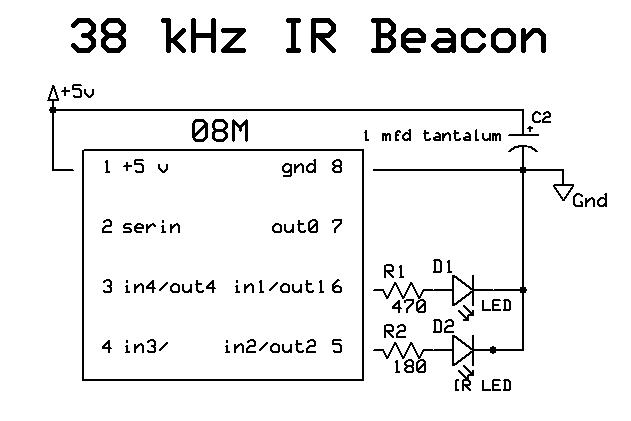
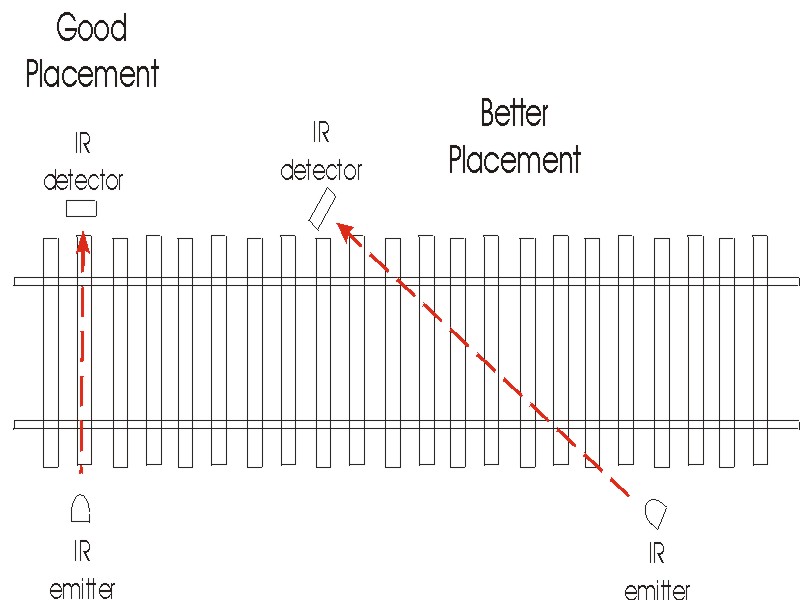
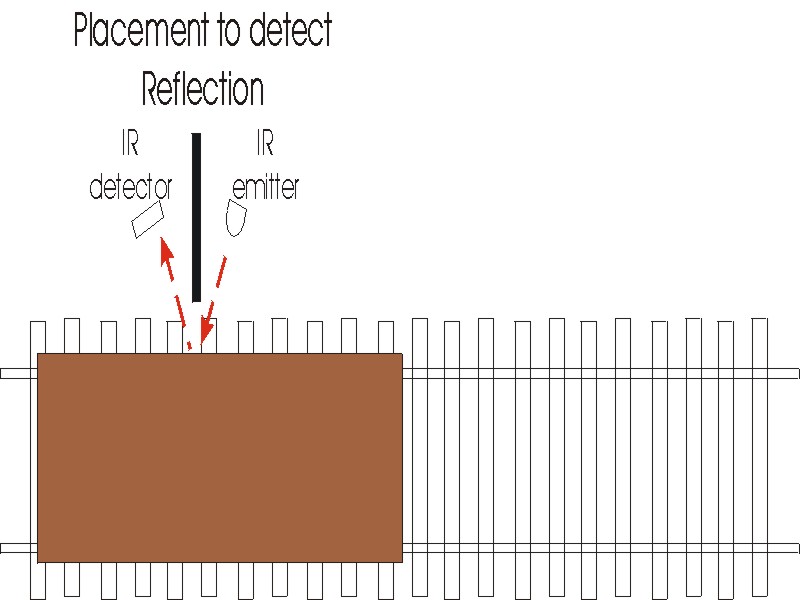
- My favorite way to detect trains is with a pulsed infrared detector
- Pulses of IR are sent out at a rate of 38,000 pulses per second (38 KHz)
- The detector only responds to IR at that frequency
|
|
35
|
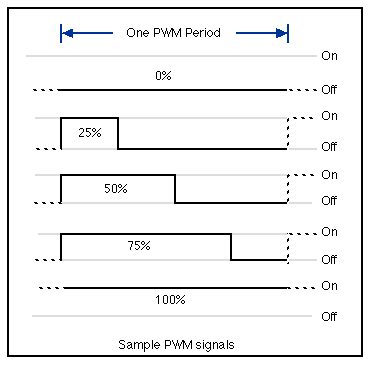
- Creating 38 KHz pulses with the PICAXE is simple
- pwmout irled, 25, 52
|
|
36
|
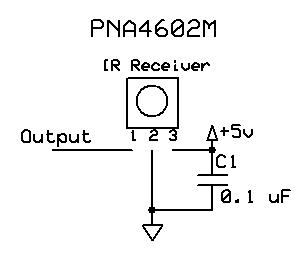
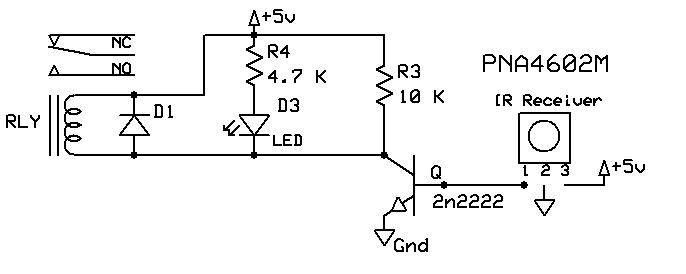
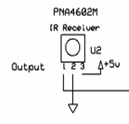
- A single 3 pin chip detects the 38 KHz pulses
|
|
37
|
|
|
38
|
|
|
39
|
|
|
40
|
|
|
41
|
|
|
42
|
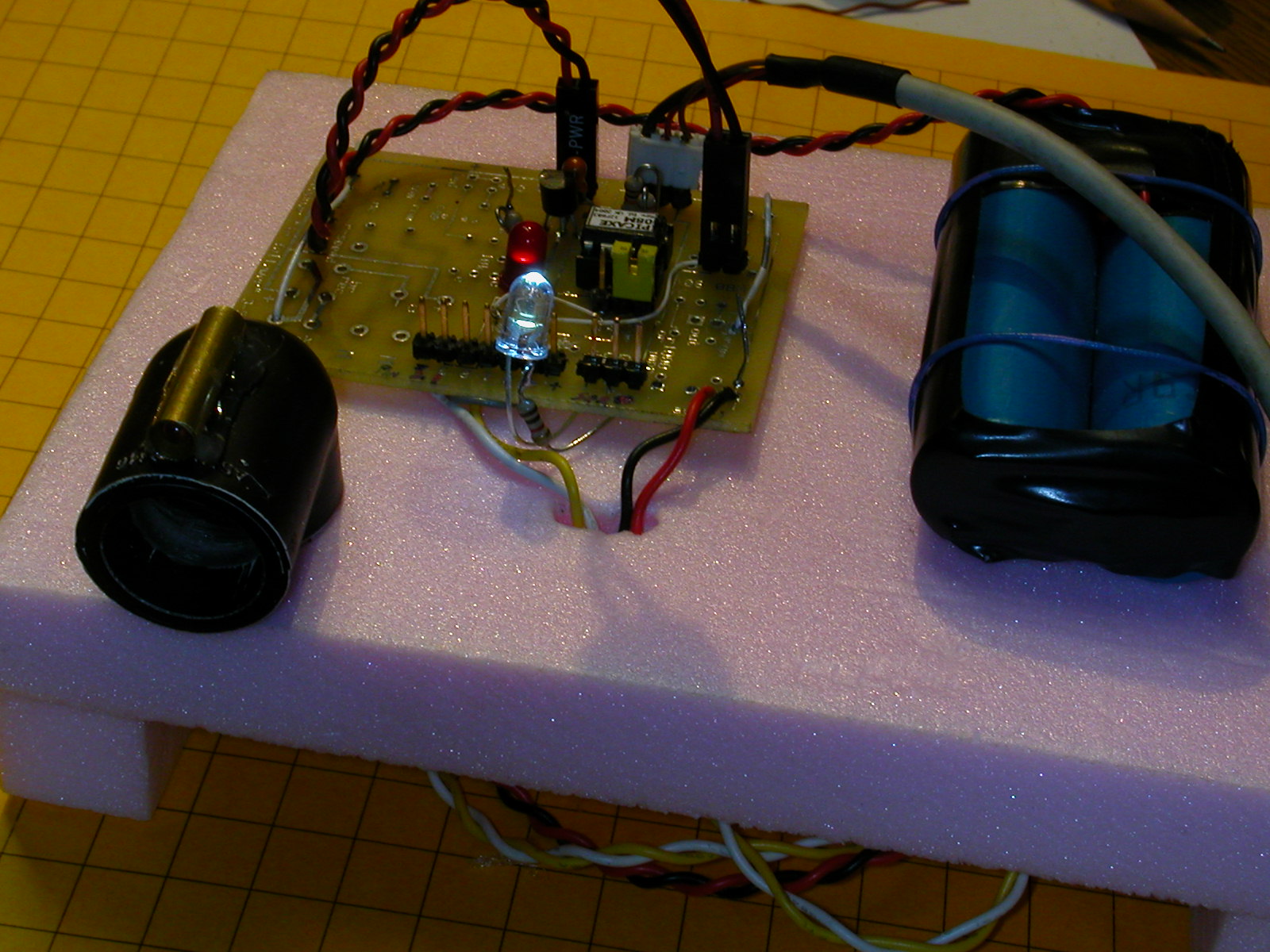
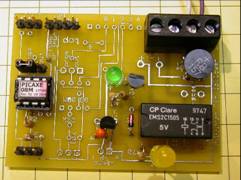
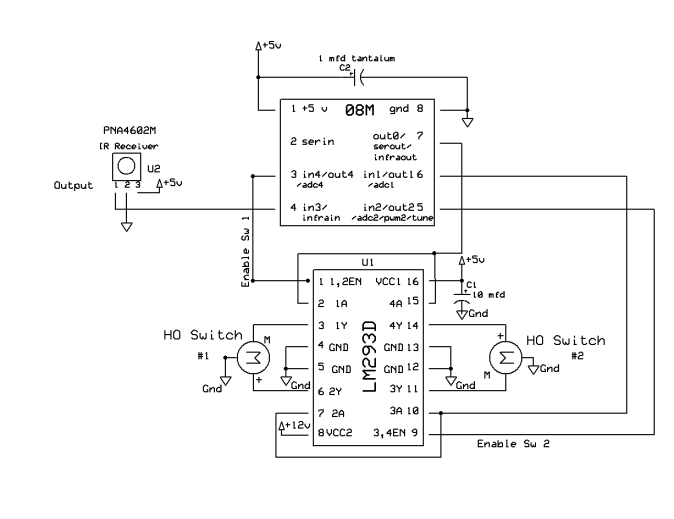
- PICAXE sends out pulses, detects them and controls the motor in response
to what is “sees”
- Prototype:
|
|
43
|
|
|
44
|
|
|
45
|
- The mechanism that is used in an electrically operated switch is either
a motor or a solenoid
- This allows us to use the same type of circuitry to control switches as
we use with motors.
|
|
46
|
|
|
47
|
|
|
48
|
- Advantages:
- More program memory (10+ single spaced pages of code!)
- More capable programming languages
- Faster executing programs
- Higher chip clock speeds
- Can directly drive an LCD display
|
|
49
|
- Disadvantages:
- Require a separate programmer
- Software NOT free
- Can be more difficult to work with
- Less support
- More research / experimentation required
- But…
- Expanded capabilities make it worth the effort!
|
|
50
|
- Grew out of a discussion about another article for Garden Railways
- Experimented with “repurposing other things” as a train
speedometer (i.e. bicycle speedometer, counter, etc)
|
|
51
|
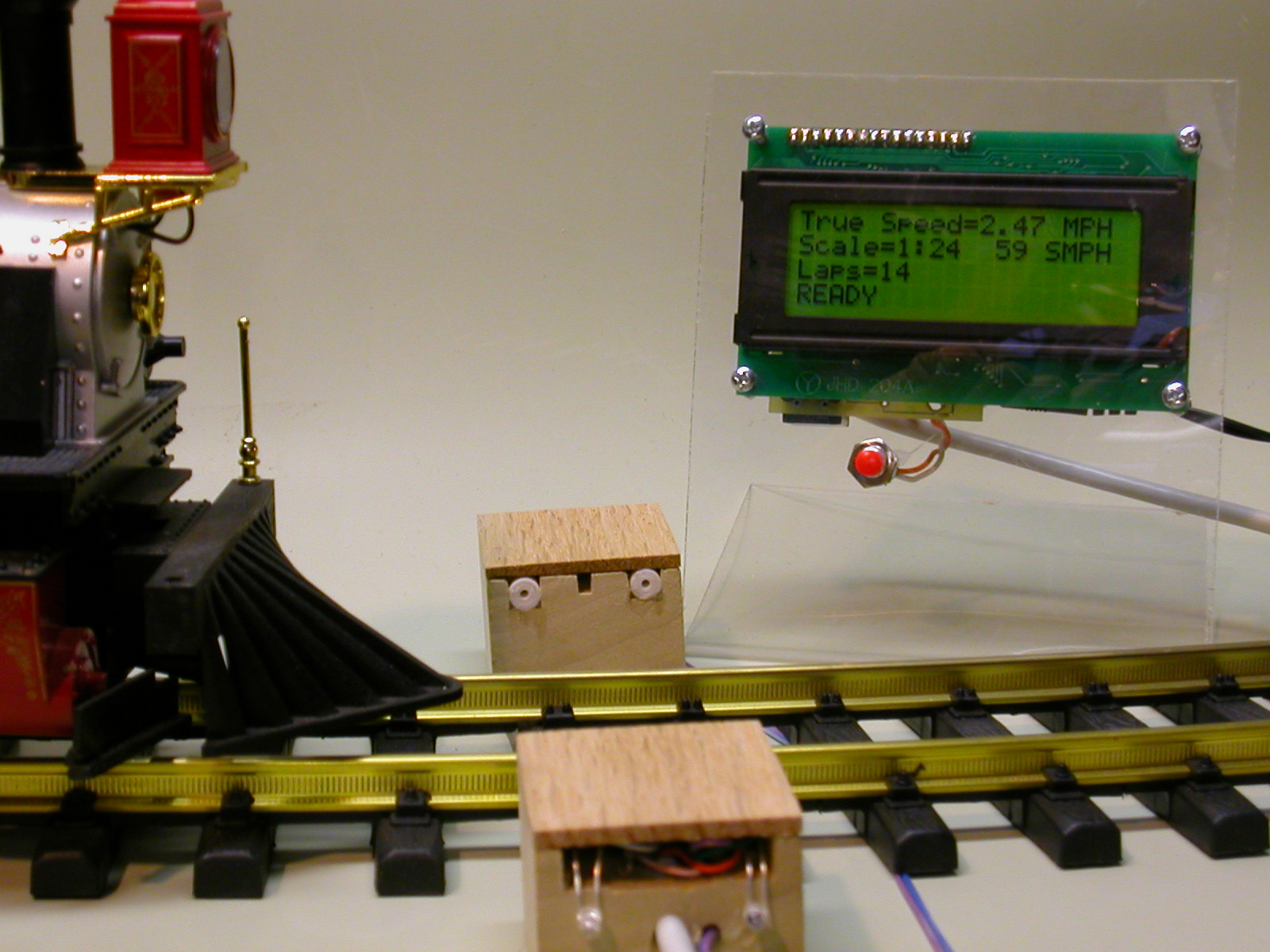
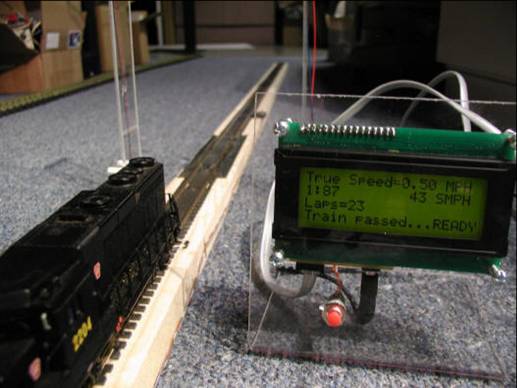
- Final design:
- 4 line x 20 character backlit LCD display
- Supports scales from 1:1 to 1:220
- Common scales identified by name
- Track-side sensors
- Counts laps
- Gives speed in real & scale MPH
- Option to “beep” out speed
- English or Metric units
|
|
52
|
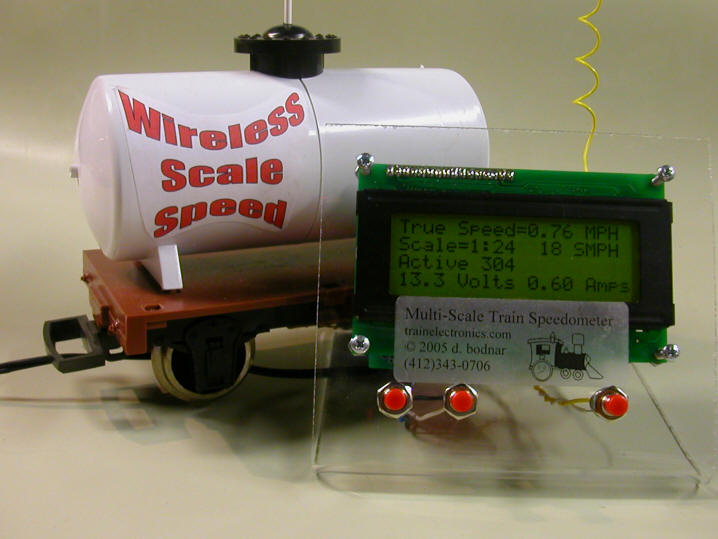
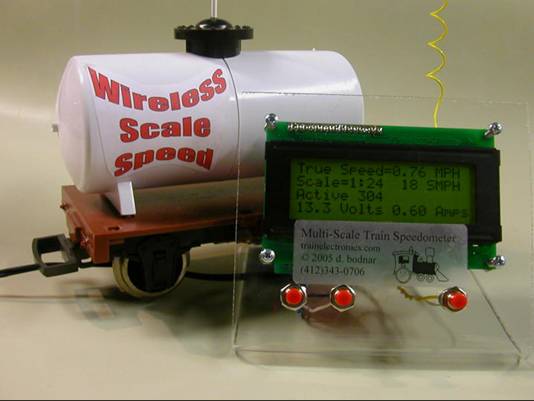
- Wireless option:
- Uses radio transmitter on a modified car
- Senses train speed and sends it to the display unit
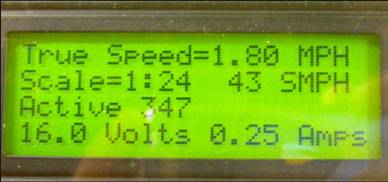
- Also can report voltage and current on a battery operated engine
|
|
53
|
- Voltage and Current can also be included in the packet that is
transmitted
|
|
54
|
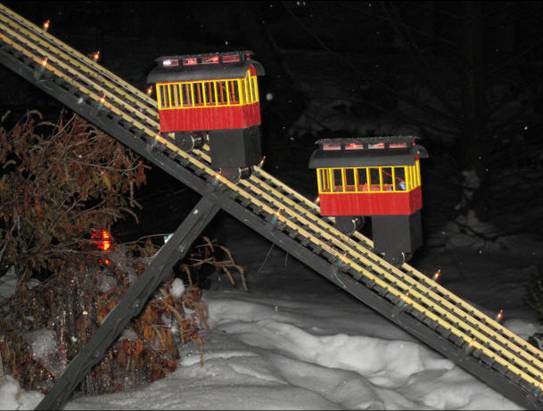
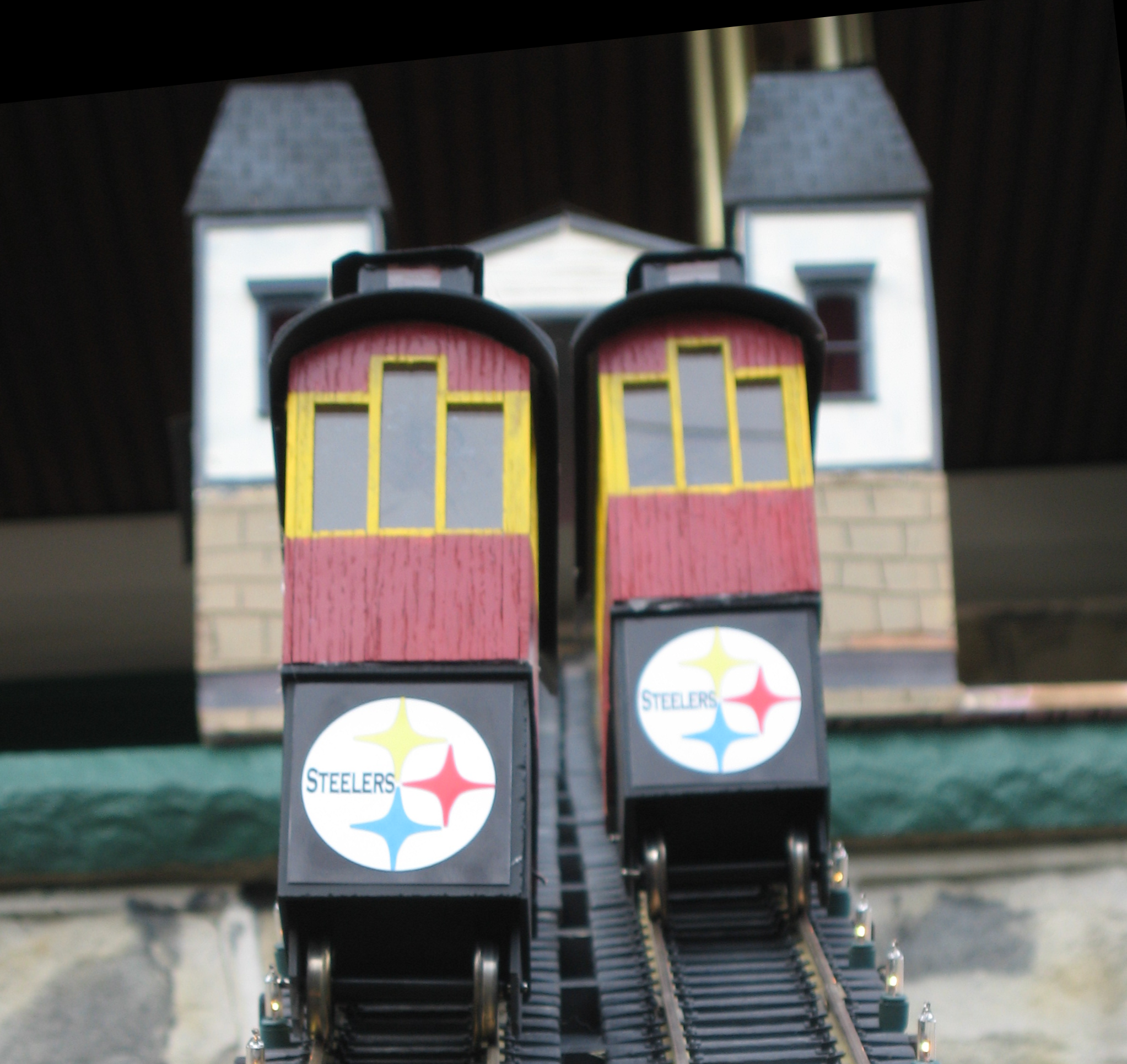
- Originally designed to operate the motor on my holiday incline
- Repurposed the Speedometer by adding a power transistor, relay and
additional control buttons
|
|
55
|
- Grew into a more capable unit:
- Time between reversing up to 8 minutes
- Random time option
- LED readout of time till reverse
- Timed deceleration point
- Variable top and bottom
speed settings
- Remembers settings if powered down
|
|
56
|
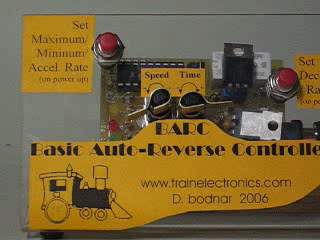
- BARC
- 2 Potentiometers to adjust time / speed
- 2 Buttons to set options
- Mosfet to handle high (10 amp+) current motors
- 3 LEDs to show time & laps completed
- 176, 172, 167, 163, 158, 154
|
|
57
|
- Dual tower lift bridge
- geared stepper motors
- TV remote control programming
|
|
58
|
- Crossover collision avoidance control
- Main line & trolley point-to-point cross
- Sensors operate trolley and stop or start it based on the position of
the train
|
|
59
|
- Infrared Train ID system
- Each train carries a small IR transmitter that continuously sends its
ID number
- Trackside receiver “reads” ID and triggers devices based on
train that passes
|
|
60
|
- Crossing signal activation / control
- Pulsed Infrared sensors
- Microcontroller start / stop / timing
|
|
61
|
|
|
62
|
|
|
63
|
|
|
64
|
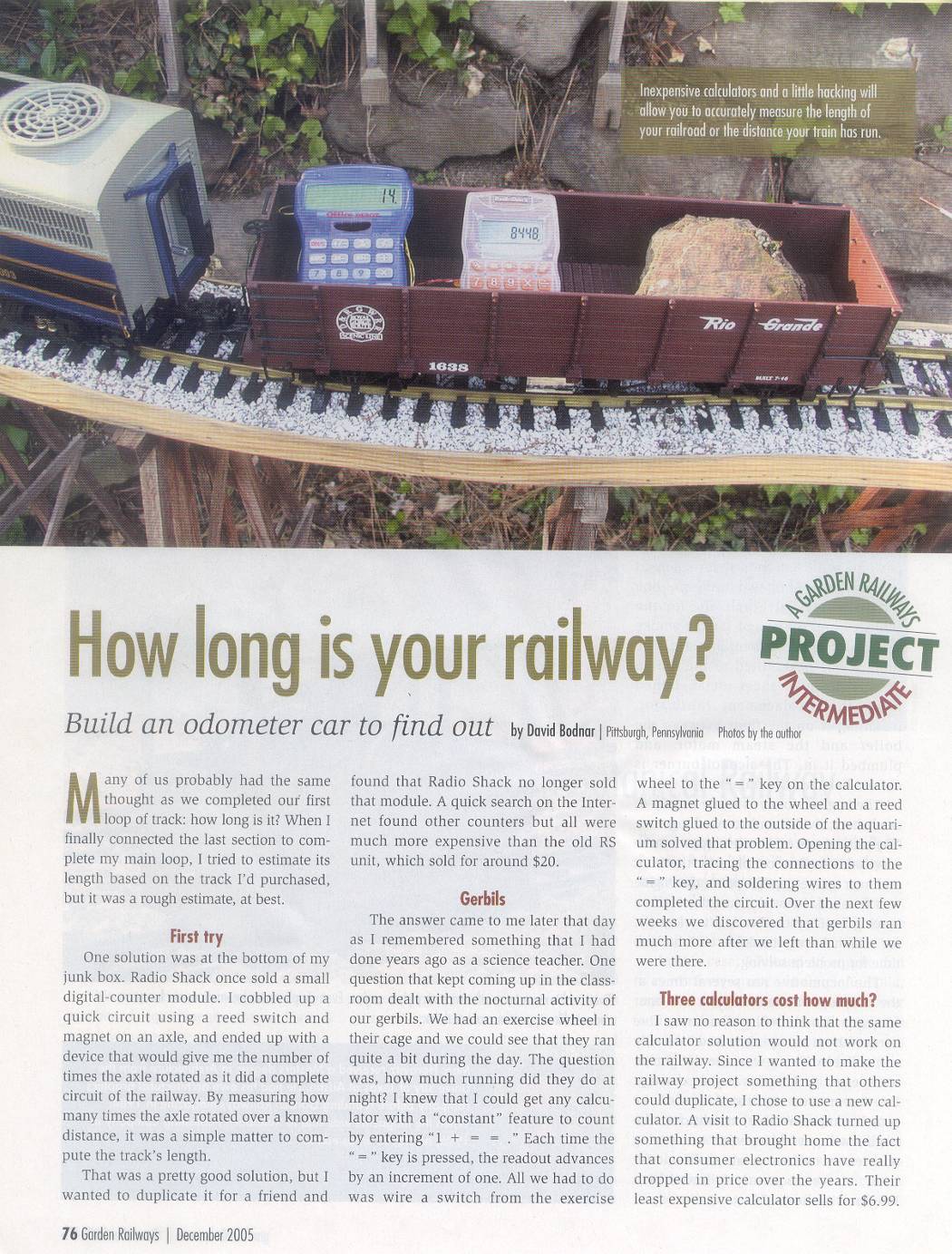
- Gadget to measure track length
- Grew out of a desire to know how much track I had in my main loop
- Needed an inexpensive counter that would count wheel rotations during
one lap around the layout
- Remembered using a calculator to do that in a science classroom
|
|
65
|
- Try this on a calculator: 1
+ 1 = = = =
- Reed switch under truck & magnet on wheel connected to
“=“ key on calculator
- Wheel diameter X number of rotations = length of track
- December 2005
- Garden Railways
- Magazine
|
|
66
|
|
|
67
|
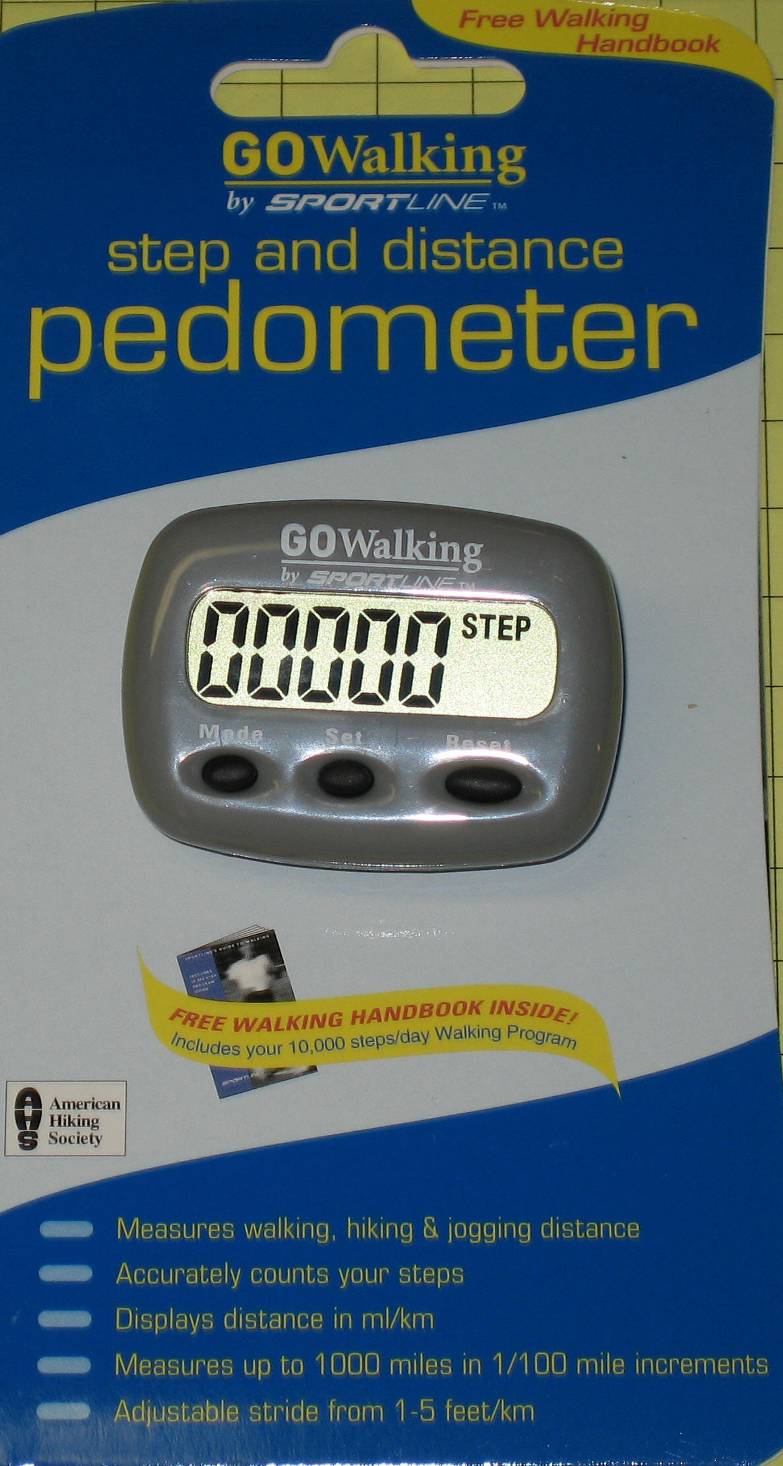
- Laps completed counter
- Wanted to count laps completed by my “Robot Train”
- Could have used calculator but they “auto-off” after 7 or 8
minutes
- Noticed a $4.00 pedometer
- at Wal-Mart with a 5 digit
- LCD display
|
|
68
|
- Pedometer for laps completed
- Extended the wires from the “bounce” switch to a reed
switch
- Each time the train passed, a magnet on the engine stimulated the reed
switch and the count incremented
- Does not automatically shut off or reset like most calculators
|

 Notes
Notes